View Contacts in a Signing Group
When using signing groups, you may need to quickly see who is in that signing group. It can be useful to see the contacts in a signing group when:
- You are creating a document and want to make sure you're adding the correct contacts
- When the document is in-flight and you want to be reminded who is in the group
- When you're considering adding to or modifying the group
Below, we'll show you how to view recipients in each of those scenarios:
Signing group when adding recipients
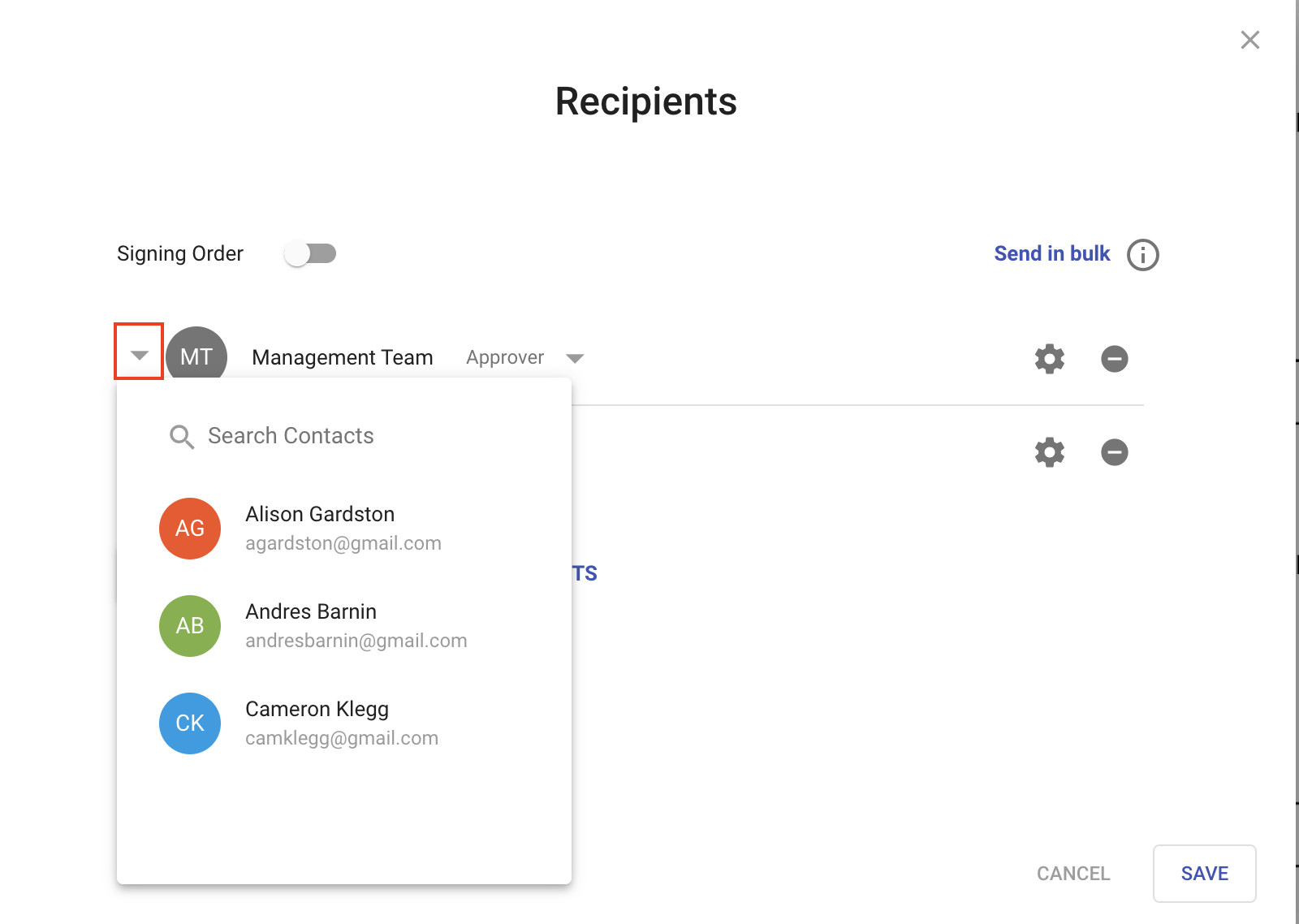
From the manage recipients dialog, click the little arrow next to the badge for the group. This will display the list of recipients in the group
Signing group on an in-flight document
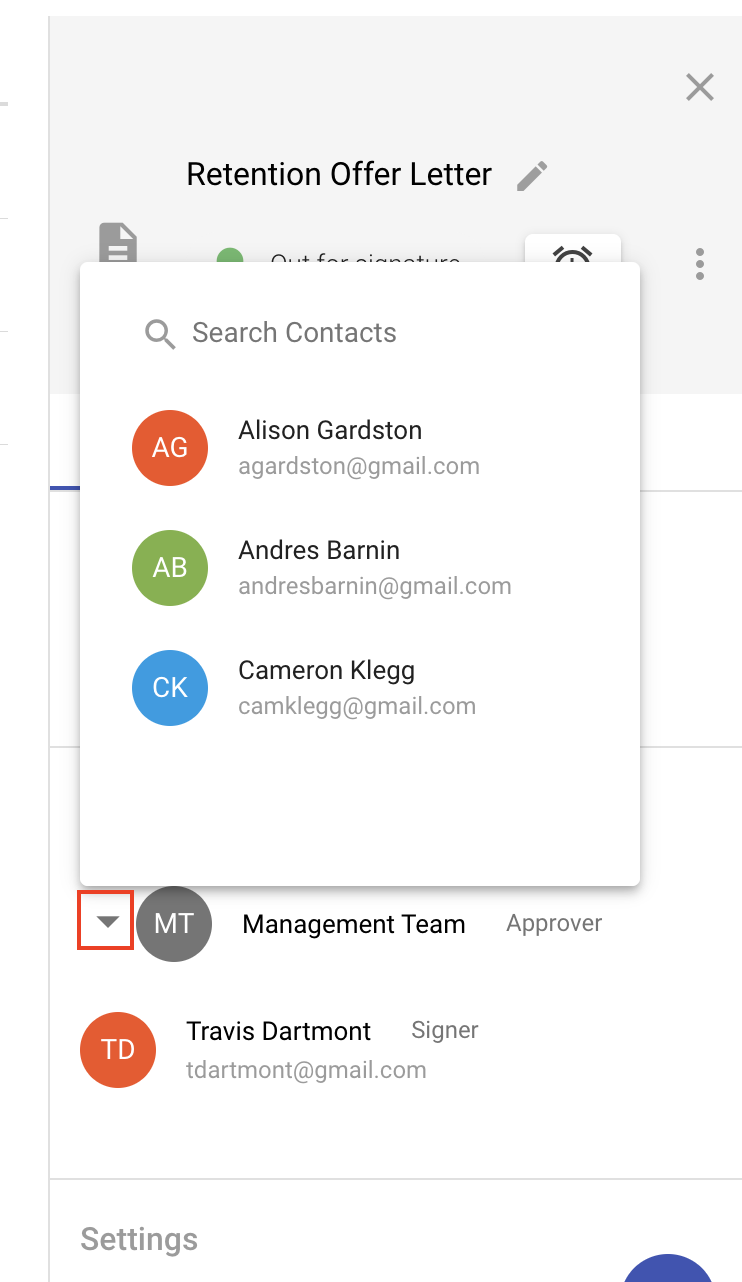
- From the documents area, click on the document in question. This will load the document detail popout.
- Scroll do the Recipients section
- Click the little arrow next to the badge for the group
Signing group in contact list
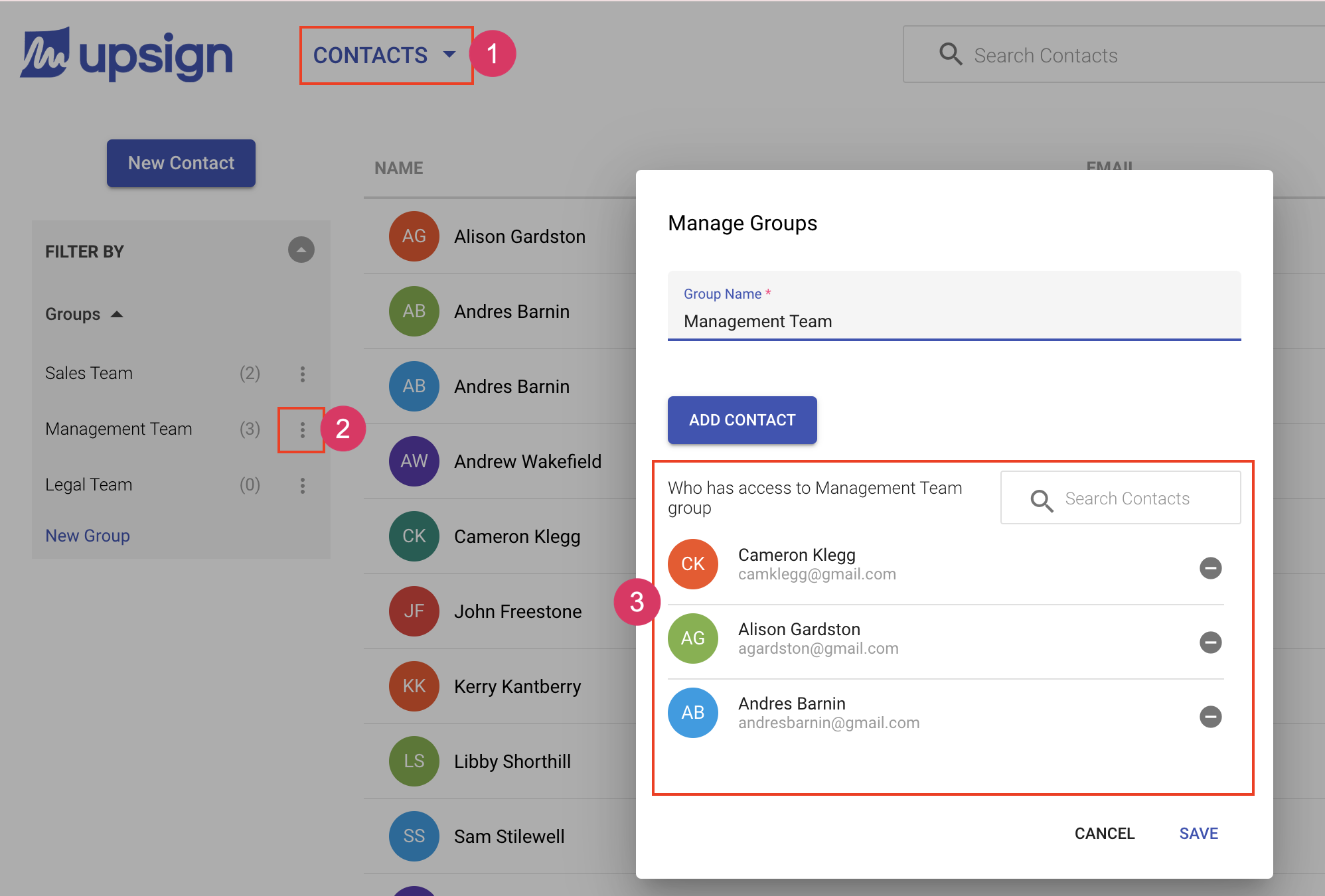
- From the contacts area, locate the group of interest
- Click the ellipsis next to the group name
- Choose Manage Group. This will load the manage groups dialog and display the contacts in that group.