View Audit Trail in the Signing Process
As a signer, you can access the audit trail from the signing process. The Audit Trail provides a list of the recipients and a detailed list of activities taken on a document at the time the audit trail is viewed. It will show a full history of the document and actions taken by both the sender and recipients. The audit trail can be viewed any time after the document has been sent and will update as the document proceeds to completion.
When the document is completed, recipients will also receive a copy of the document via email. The copy will include the audit trail and a certificate of completion.
To view the audit trail from the signing process
- Begin the signing process as if you're going to sign the document
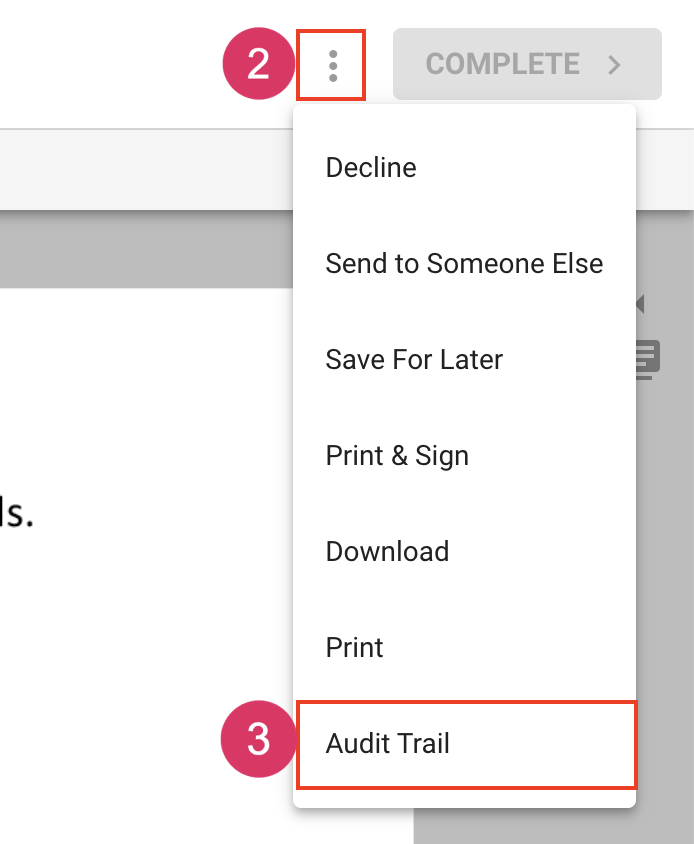
- Click More Actions next to the complete button at the top right.
- Choose Audit Trail